See which Claude Code or Codex session is burning your plan, and why.
Cost Doctor sits in your Mac menu bar. It reads the logs Claude Code and Codex already write, names the session that is eating your tokens, and tells you what to do about it. When a check fails while an agent sits waiting, your screen turns red.
14 days free, no account, no card. macOS 13 or later.
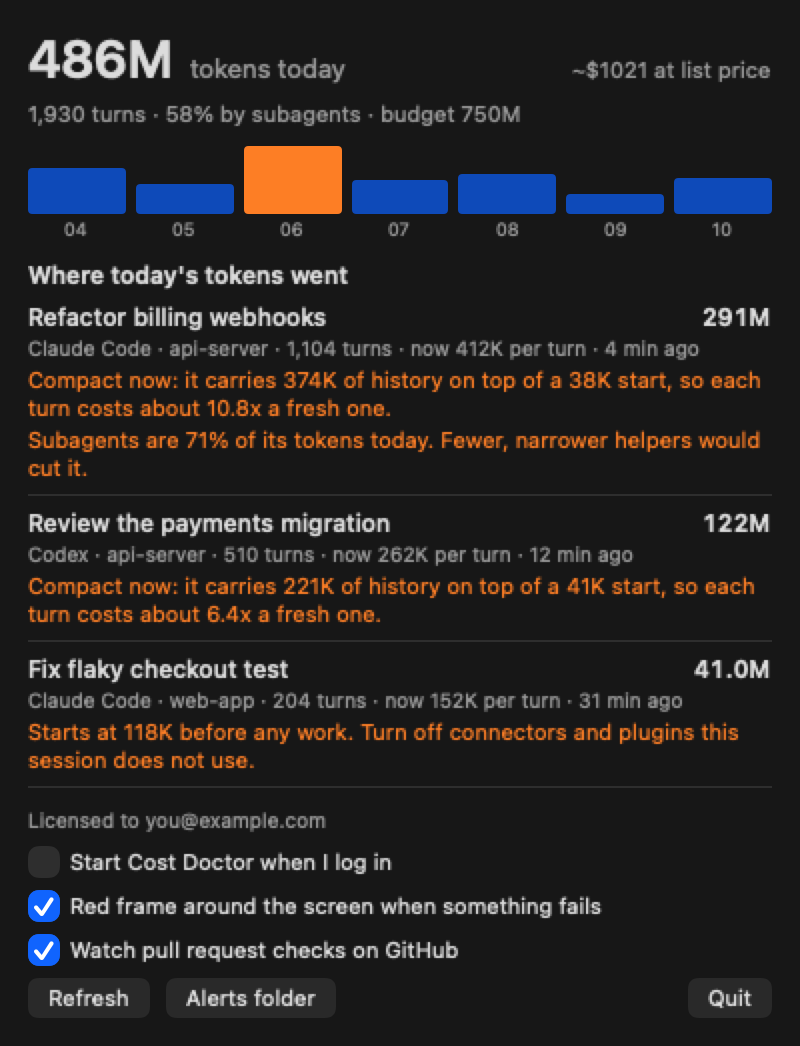
Usage meters tell you how much. Cost Doctor tells you why.
A total does not help you spend less. These three findings do.
Sessions that should compact
A long session re-reads its whole history on every turn. Cost Doctor measures the history each session carries on top of its own start, and shows how many times more each turn costs than a fresh one.
Overhead before any work
Connectors and plugins load their whole tool list into every turn. Cost Doctor shows what each session weighs at its first turn, so you can see a 120K start for what it is.
Subagent fan-out
One request can quietly launch dozens of helpers. Cost Doctor shows the share of each session's tokens spent by subagents, including the logs most tools skip.
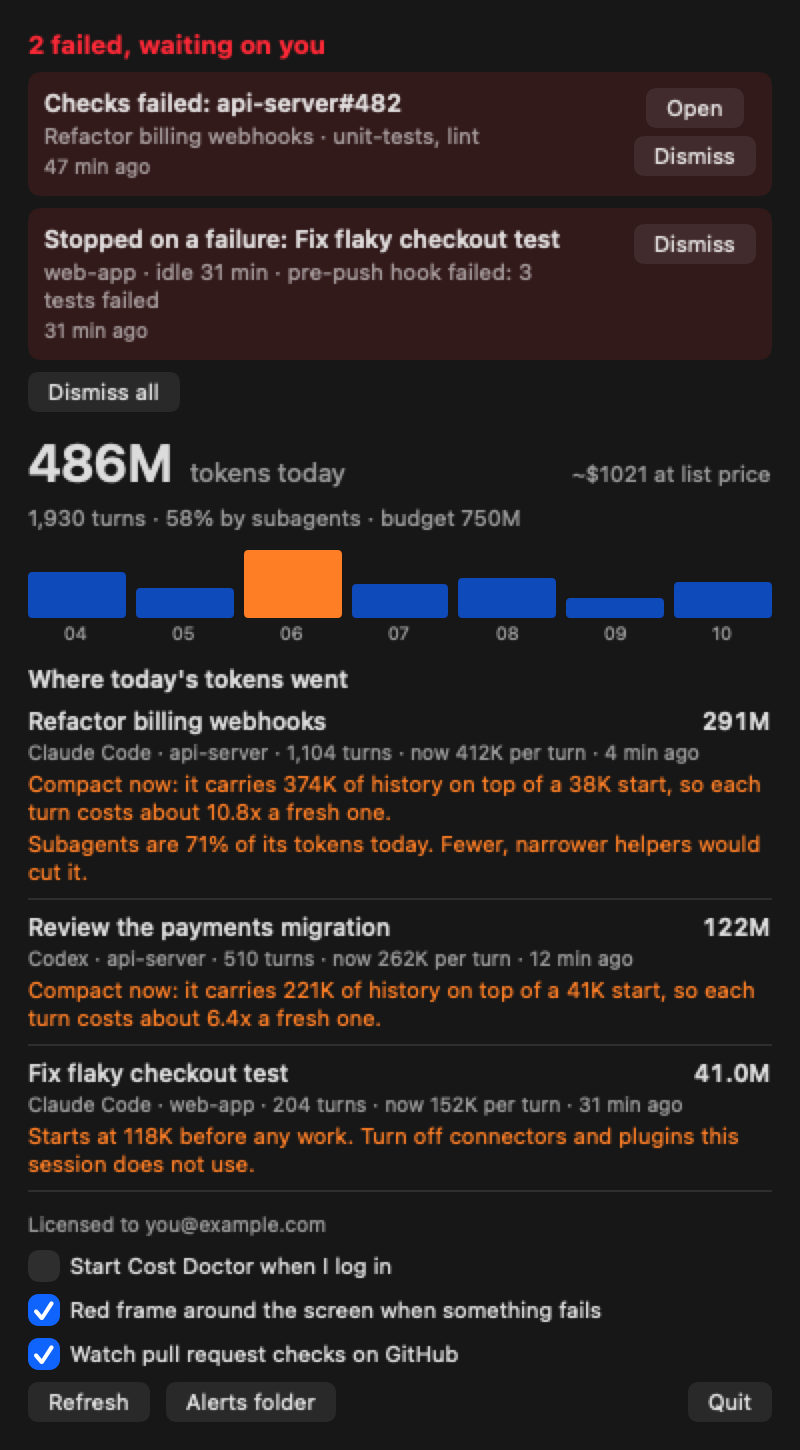
An agent that fails quietly costs you hours.
You walk away, a check goes red, and the agent waits. Cost Doctor makes that impossible to miss: the menu bar badge turns red, a red frame appears around every screen, and a notification is sent.
- Failed checks on your open pull requests, read with the GitHub command line tool you already use.
- A session that stopped on a failure, such as a push hook or a test run, and has sat idle since.
- Anything your own scripts report. One line raises an alert:
echo "deploy failed" > ~/.costdoctor/alerts/deploy.txt
Every alert has a Dismiss button, and the frame never blocks a click.
Private by design
Nothing leaves your Mac
Cost Doctor reads the session logs in ~/.claude and ~/.codex on disk. It has no server and sends no prompts, code or usage anywhere.
No account
There is no sign-up. A licence is a key you paste once; it is checked on your Mac, offline.
No extra tokens
It never calls a model. Watching your spend costs nothing.
One price. Yours to keep.
One-time purchase. No subscription. 14-day free trial with everything switched on.
Questions
What does it need?
A Mac on macOS 13 or later with Claude Code or Codex installed. Pull request alerts also need the GitHub command line tool (gh), signed in.
How is the dollar figure worked out?
It is an estimate at published list prices, shown for scale. If you are on a plan, your bill is your plan price; tokens are the number to watch. The rates are editable in ~/.costdoctor/config.json.
What happens when the trial ends?
Today's total keeps showing. The per-session breakdown, the advice and the red alerts need a licence.
Does it change anything in my sessions?
No. It only reads log files. It never edits a prompt, a setting or a session.